Fluvsies Academy - Kids Games
TutoTOONSEducational
4.427.00 Reviews
- Version
- 5.0.20
- Installs
- 100.00K
- Age Rating
- Everyone
Screenshots
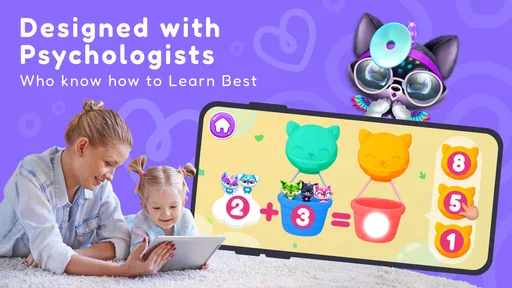
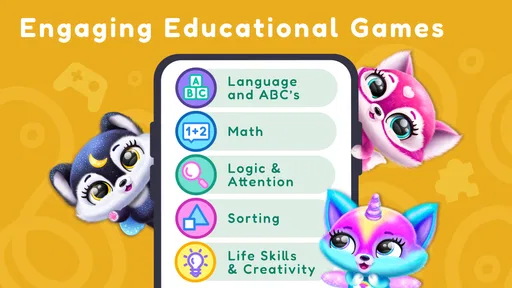
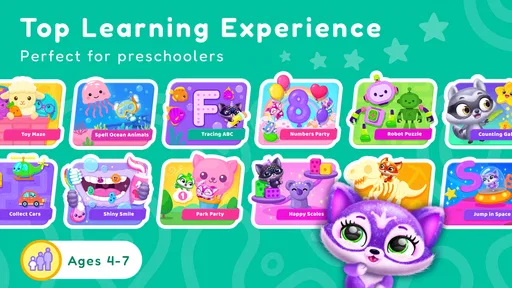

Our Review of Fluvsies Academy - Kids Games
 Analysis by Appyee
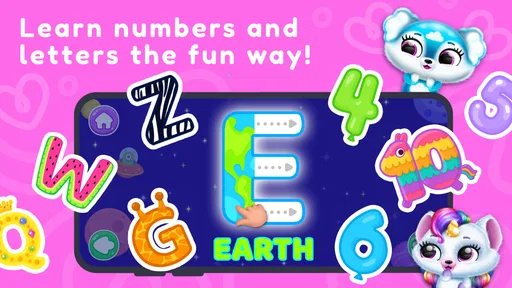
Fluvsies Academy - Kids Games is the kind of educational game I would put in front of a toddler when I want screen time to feel a little more purposeful. It comes from TutoTOONS and focuses on early learning through activities connected with math and everyday life skills. The presentation is friendly rather than academic, so a child can explore without feeling as if they are sitting through a lesson.
My overall impression is positive, especially for families looking for a gentle first learning game. It is free to start, suitable for Everyone, and available for devices running Android 7.0 or later. Still, parents should approach it as a guided activity rather than a complete preschool curriculum. The game can support short practice sessions, but it works best when an adult occasionally talks through what the child is doing.
What the first sessions feel like
The biggest difficulty is not usually understanding the idea of the game. It is helping a young child move through the opening steps without tapping randomly. Toddlers often press every visible button, switch activities before finishing one, or leave a screen because they do not yet understand what the next action should be. That is normal, but it means the first session benefits from an adult sitting nearby.
I recommend starting when there is no rush. Let the child look at the characters and interface before expecting correct answers. If the goal is counting, for example, I would say the numbers aloud and point to the objects on screen. If the activity involves a daily routine, I would connect it with something familiar at home. This turns a simple tap into a small conversation instead of passive watching.
The game’s appeal comes from combining recognizable Fluvsies characters with learning tasks. That matters because young children often respond more readily to a character they like than to a plain worksheet. The trade-off is that the playful presentation can also become the main attraction. A child may remember the character or animation while paying little attention to the underlying skill, so short pauses for questions make the learning more meaningful.
One practical use case is a ten-minute activity before dinner. I would choose one area, allow the child to try it independently, and then ask them to explain what they did. This avoids turning the game into background entertainment and gives parents a quick way to see whether the child understands the task or is simply guessing.
Checking the device before blaming the game
Before installing, I would check that the phone or tablet uses Android 7.0 or newer. That basic compatibility check prevents a frustrating start on an older device. I would also make sure there is enough battery and that the operating system is not busy installing another update. These are ordinary checks, but they matter more with a child waiting beside you.
After installation, I would open the game once without handing over the device immediately. This gives me time to see whether the opening screens load properly, whether the sound level is appropriate, and whether the controls feel manageable on that particular screen. A game that feels easy on a large tablet may be less comfortable on a small phone, especially for a child still developing precise touch control.
The current version is 5.0.20, so I would check that the installed version is current if something behaves unexpectedly. I would not repeatedly reinstall as a first response. Instead, I would close other demanding apps, restart the device, and try again. These simple steps often separate a temporary device problem from an issue that needs more attention.
Parents should also decide in advance whether purchases are acceptable. The game is free, but optional in-app items range from $6.99 to $39.99 each. I would review the device’s purchase controls before giving it to a child, rather than waiting for an accidental tap to create an awkward conversation. This is especially important because toddlers are enthusiastic explorers and do not recognize the difference between a learning button and a payment button.
Another useful setup habit is choosing a quiet place and a stable connection for the first launch. I would avoid introducing the game during a car journey or just before leaving the house. If a screen takes longer to load or an activity does not respond as expected, a child can quickly lose patience. A calm first session makes it easier to tell whether the problem is technical or simply a tired child.
Recovering when a session goes wrong
When an activity stops responding, my first recovery step would be to wait briefly and avoid tapping repeatedly. Young children often press the same area many times, which can make it harder to tell what the game is doing. If nothing changes, I would close the game, reopen it, and return to the activity. I would then test one other area to see whether the problem is limited to a single screen.
If the whole device feels slow, I would treat that as a device issue first. Closing unused apps and restarting the phone or tablet is more sensible than assuming the educational content is broken. I would also check storage and system updates, because a crowded or outdated device can cause several apps to behave poorly at once.
Sound problems deserve a separate check. I would look at the device volume, silent mode, connected headphones, and any child-safety audio settings before deciding that the game has no sound. For a toddler, audio feedback can be important because it helps explain whether a tap was recognized. If the game works visually but the sound does not, I would test another app with audio to narrow down the cause.
If the game closes unexpectedly, I would restart the device and try again before changing several settings at once. If the same behavior continues only in this game, recording the exact point where it happens would be useful for support. I would note whether it occurs during startup, while changing activities, or after a child taps a particular control. That description is much more helpful than simply saying that the game does not work.
There is also a human recovery workflow. If a child becomes frustrated, I would stop the session instead of turning troubleshooting into another task. Offer a simpler activity later, or let the child watch one example before trying again. With early-learning games, emotional overload can look like a technical failure: the child may tap too quickly, ignore instructions, or abandon an activity even though it is functioning correctly.
Separating app problems from everyday device problems
It is easy to blame the game when the real cause is the surrounding setup. A weak connection, low battery, aggressive battery-saving mode, or a device shared by several family members can all affect the experience. I would test the game at a different time and on the same device after a restart before drawing a firm conclusion.
Age also changes what “working” looks like. The Everyone rating makes the game broadly suitable, but it does not mean every activity will match every toddler’s development. A child who has not yet mastered counting may need an adult to model the answer. Another child may find the same activity too easy and lose interest quickly. That variation is not necessarily a flaw; it is a reminder that an age label cannot replace observing the individual child.
Touchscreen control is another hidden variable. Very young users may drag with too little pressure, use two fingers accidentally, or tap near an object without selecting it. Before assuming the game missed an input, I would ask the child to use one finger and slow down. A larger tablet can also be more comfortable than a compact phone, although the best choice depends on the family’s available hardware.
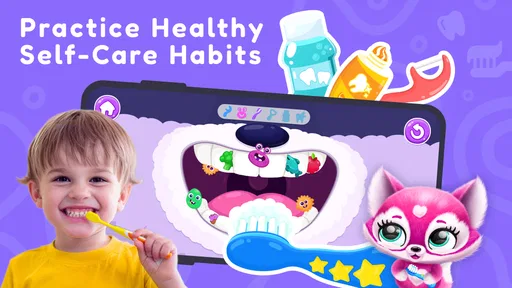
Parents should keep expectations realistic about educational progress. The game can reinforce recognition, counting practice, and familiar life-skill ideas, but it should not replace conversation, physical play, books, or real tasks. If the child is learning about tidying, dressing, or routines through the game, I would follow it with a small real-world activity. That connection is where the screen session becomes more useful.
How it compares with ordinary preschool alternatives
Compared with printed worksheets, the game is more inviting for a child who resists sitting down with paper. Characters, touch interaction, and immediate responses can make the first contact with numbers feel less intimidating. Worksheets are easier for an adult to customize and review, though, and they do not bring the same risk of accidental purchases or device interruptions.
Compared with a video, this game asks the child to participate rather than simply watch. That is a meaningful advantage when the activity is well matched to the child. A video may be easier during a quiet rest period, but it offers less opportunity to see whether the child can make a choice independently. On the other hand, a parent-led game with physical counters or blocks can provide richer hands-on learning than either a video or a mobile game.
Compared with a dedicated math app, Fluvsies Academy appears better suited to families who want math alongside broader early life-skills practice. I would choose a more specialized option if the child needed focused work on one narrow area or if an adult wanted detailed progress tracking. I would choose this game when motivation and variety matter more than a formal sequence of lessons.
The free entry point is helpful for testing whether the child enjoys the style before spending money. The optional purchase range means families should decide how much access they want and protect purchases accordingly. I would not buy anything simply because a child asks during an exciting moment; I would first see whether the free experience already fits the family’s routine.
Who will get the most from it
I think this game is strongest for toddlers who enjoy colorful characters, short touch activities, and learning through repetition. It can also suit a parent who wants a ready-made prompt for talking about numbers and daily routines. A grandparent or babysitter could use it as a shared activity, provided they treat the screen as something to discuss rather than a way to keep a child occupied without involvement.
It is less suitable for a family seeking a quiet, completely independent learning tool. Young children may need help navigating, interpreting instructions, or recovering from a mistake. It is also not my first choice for older children who already need more advanced mathematics, deeper reading practice, or structured academic feedback.
A realistic routine would be to use one activity after breakfast, ask the child to name what they noticed, and then stop before attention fades. On another day, the adult could connect the game’s theme with sorting toys, counting snacks, or following a simple household sequence. This approach gives the app a clear role without letting it take over the day.
My practical verdict for families
With an average rating of 4.4 from around 500 ratings and more than 100K installs, the game has found a real audience without needing to be treated as a miracle learning solution. Those figures suggest a useful level of interest, but my recommendation rests more on how it fits a family’s habits: short sessions, adult guidance, and sensible purchase controls.
TutoTOONS has made a friendly educational game that combines early math with key life-skill ideas in a format many toddlers will find approachable. I like it most as a bridge between play and conversation. The strongest results come when a parent follows the on-screen task with a real example, rather than assuming a correct tap automatically means the concept has been learned.
My final advice is to install it when you have time to test the opening experience yourself, confirm that the device meets the Android requirement, and establish purchase boundaries before a child plays. If the game loads slowly, crashes, or loses sound, use the basic restart and device checks before concluding that the content is at fault. If your child enjoys the characters but struggles with the activities, slow down and model one example.
For a toddler-friendly first step into educational games, I would recommend giving Fluvsies Academy a try. I would skip it only if you need advanced academic tools, detailed progress reporting, or a fully offline, hands-on learning experience. For families wanting a free starting point for early math and life-skills practice, it is a pleasant option when used thoughtfully and in small doses.
Verdict
Strengths of Fluvsies Academy - Kids Games
- Simple controls make it easy for young children to play independently.
- Cute animal characters can encourage imaginative and pretend-play activities.
- Short activities suit children with limited attention spans.
- Bright visuals and friendly animations are appealing to preschool audiences.
- Offline play may be convenient during travel or in areas without internet.
Limitations of Fluvsies Academy - Kids Games
- Some content may be locked behind in-app purchases or subscriptions.
- Repetitive activities could lose appeal for older or more advanced children.
- Frequent prompts may encourage children to request additional purchases.
- The app may require considerable storage space on some devices.
- Parents should review privacy and advertising settings before handing over the device.
Other Releases by TutoTOONS
View All
Fluvsies - A Fluff to Luv
Educational4.1

Sweet Baby Girl Cleanup 5
Educational3.8

Smolsies - My Cute Pet House
Educational4.1

Bunnsies - Happy Pet World
Educational4.0
Similar Picks in This Category
View All
Little Panda Policeman
BabyBus4.0

Monster Trucks Game for Kids 2
Raz Games4.1

Little Panda's Chinese Recipes
BabyBus4.4

Little Panda's Restaurant
BabyBus4.4

Little Panda's Ice Cream Games
BabyBus4.3

Baby Panda Care
BabyBus3.8
Frequently Asked Questions
What is Fluvsies Academy - Kids Games?
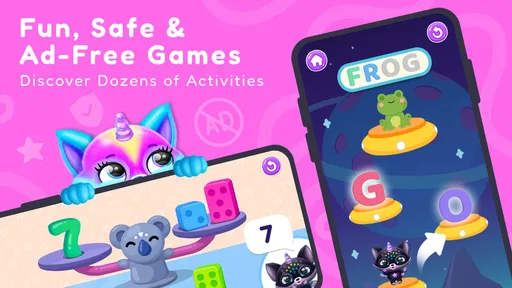
Fluvsies Academy - Kids Games is an educational app designed for young children, featuring colorful Fluvsie characters, simple activities, and playful learning challenges. Children can explore subjects and everyday skills through interactive mini-games rather than traditional lessons. The friendly visuals, cheerful sounds, and straightforward controls make it approachable for preschool and early-primary users who are still developing confidence with mobile devices.
What age group is Fluvsies Academy - Kids Games suitable for?
The app is mainly suited to preschool and younger school-age children, although the ideal age can vary depending on a child’s reading ability and familiarity with touchscreens. Many activities use visual instructions and uncomplicated interactions, so children may be able to play with limited help. Parents should still review the available lessons and supervise younger users, especially during the first sessions.
Does Fluvsies Academy - Kids Games require an internet connection?
Some features may work after the application has been installed, but an internet connection can be needed for downloading content, receiving updates, restoring purchases, displaying advertisements, or accessing certain online functions. Availability can also differ between Android and iOS versions. It is best to open the app once while connected to Wi-Fi and check which activities remain accessible before allowing offline play.
Is Fluvsies Academy - Kids Games free to download and safe for children?
The app may be available as a free download, but it can include optional purchases, advertising, or premium content depending on the platform and current version. Parents should check the store listing carefully and use device-level parental controls to restrict payments. The child-focused presentation is designed to be welcoming, but adult supervision is recommended whenever advertisements or external purchase screens may appear.
What can children learn while playing Fluvsies Academy - Kids Games?
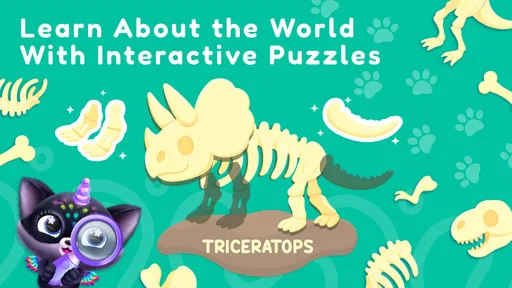
The app combines entertainment with basic educational practice through short, game-like activities. Depending on the installed version, children may work on recognition, memory, problem-solving, counting, creativity, coordination, and everyday concepts. Progress is presented in a light and encouraging way rather than through formal testing. It should be considered a supplementary learning tool, not a replacement for schoolwork or guided parental activities.
Play our best games!


